
ವ್ಯಕ್ತಿಯ ಹಿಂದೆ ಬಿಳಿ ಹಿನ್ನೆಲೆಯನ್ನು ಮಾಡಿ
ಕಟ್ಔಟ್ಗಾಗಿ ಸ್ವಚ್ಛವಾದ ಬಣ್ಣದ ಹಿನ್ನೆಲೆಯನ್ನು ಇರಿಸಿಕೊಂಡು ವ್ಯಕ್ತಿಯನ್ನು ಉಳಿಸಲು Document photo ಯಲ್ಲಿನ ಪಾವತಿಸಿದ AI ಹಿನ್ನೆಲೆ-ತೆಗೆದುಹಾಕುವ ಕ್ರಿಯೆಯನ್ನು ಬಳಸಿ.
ಸೇವೆಯನ್ನು ತೆರೆಯಿರಿ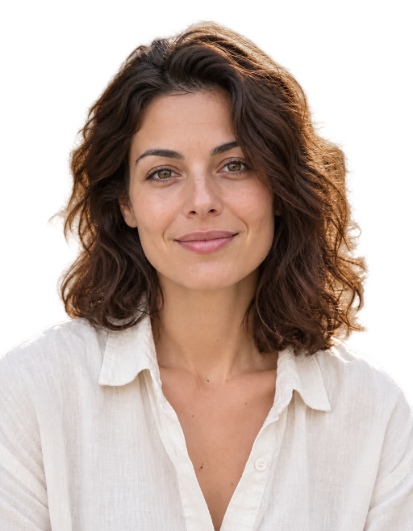
ಫಲಿತಾಂಶ
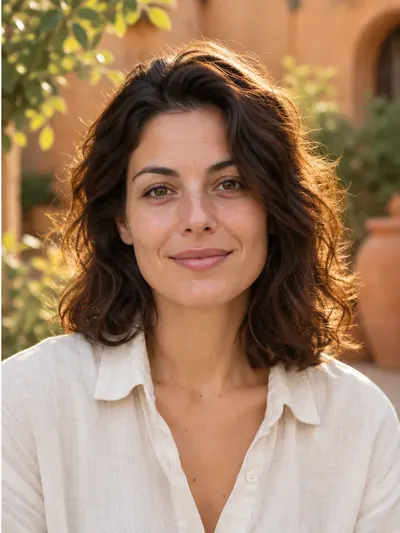
ಈ ಫಲಿತಾಂಶಕ್ಕೆ ಬಳಸಿದ ಸೆಟ್ಟಿಂಗ್ಗಳು
- ಮಾದರಿ
- Avatarya Studio 2
- AI ಇಮೇಜ್ ಜನರೇಷನ್ ಗುಣಮಟ್ಟ
- ಪ್ರಮಾಣಿತ
ಕತ್ತರಿಸುವಿಕೆ, ಬಿಳಿ ತುಂಬಿಕೆ, ಬಟ್ಟೆಯ ಓವರ್ಲೇಗಳು ಮತ್ತು ಮುದ್ರಣ ವಿನ್ಯಾಸ ನಿಮ್ಮ ಬ್ರೌಸರ್ನಲ್ಲೇ ನಡೆಯುತ್ತವೆ. ಪಾವತಿಸಿದ AI ಪ್ರಕ್ರಿಯೆಯನ್ನು ಬಳಸುವುದು ಕೇವಲ ವ್ಯಕ್ತಿಯ ಕಟ್ಔಟ್ ಮಾತ್ರ.
ಸ್ವಯಂಚಾಲಿತ ಸೂಚನೆಗಳು
Isolate only the main person in the reference photo. Keep their visible body, hair, clothing and worn accessories. Remove every other person and every non-person object, including chairs, armchairs, seats, backrests, headrests, armrests, furniture, cushions, equipment and objects held in the hands. A chair or other object must be removed even when the person is sitting on it, leaning against it, touching it, or when it closely follows the outline of their head, hair, shoulders or clothing. Do not include any part of a chair or other surrounding object in the person cutout. Make all areas outside the person and all visible gaps between their body parts fully transparent. Preserve the exact identity, facial features, expression, skin texture, hair, clothing, body pose and natural outlines. Do not beautify, retouch or regenerate the face, and do not invent hidden or cropped body parts. Keep the original framing and orientation. Return only the person on a fully transparent background, with clean natural edges and no shadows or solid background.ಈ ಸೆಟ್ಟಿಂಗ್ಗಳು ಪ್ರಕಟಿತ ಉದಾಹರಣೆಯನ್ನು ವಿವರಿಸುತ್ತವೆ. ಹೊಸ ಚಾಲನೆ ಬೇರೆ ಚಿತ್ರವನ್ನು ನೀಡಬಹುದು.
ಪೋರ್ಟ್ರೇಟ್ ಅನ್ನು ಲೋಡ್ ಮಾಡಿ
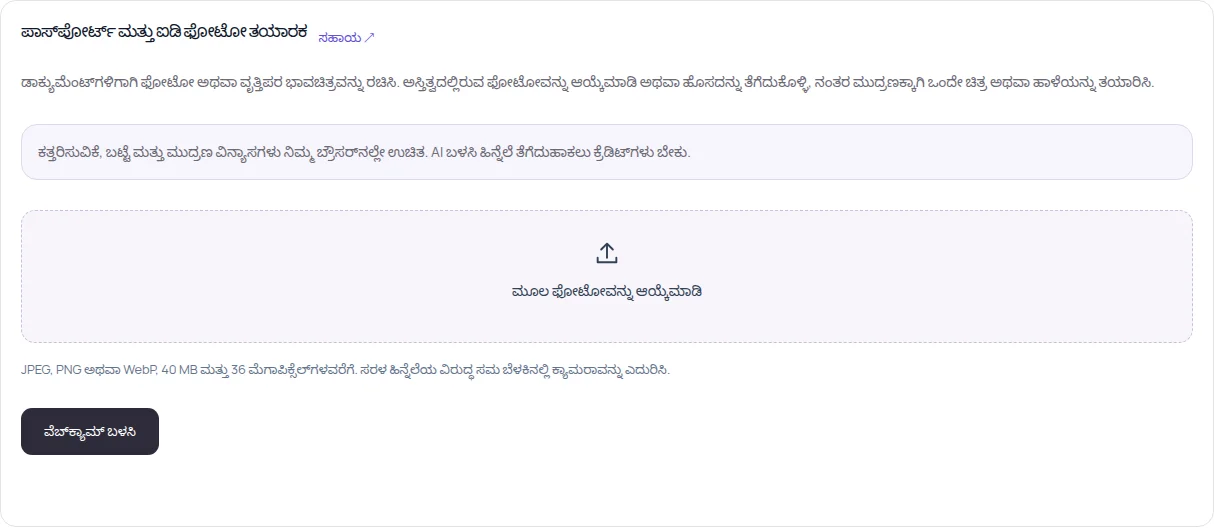
Document photo ತೆರೆಯಿರಿ ಮತ್ತು 40 MB ಹಾಗೂ 36 MP ವರೆಗೆ ಇರುವ JPEG, PNG ಅಥವಾ WebP ಆಯ್ಕೆಮಾಡಿ, ಅಥವಾ ವೆಬ್ಕ್ಯಾಮ್ ಫೋಟೋ ತೆಗೆದುಕೊಳ್ಳಿ. ಸಂಪೂರ್ಣ ತಲೆ, ಕತ್ತು ಮತ್ತು ಭುಜಗಳು ಗೋಚರಿಸುವಂತೆ ಇರಲಿ.
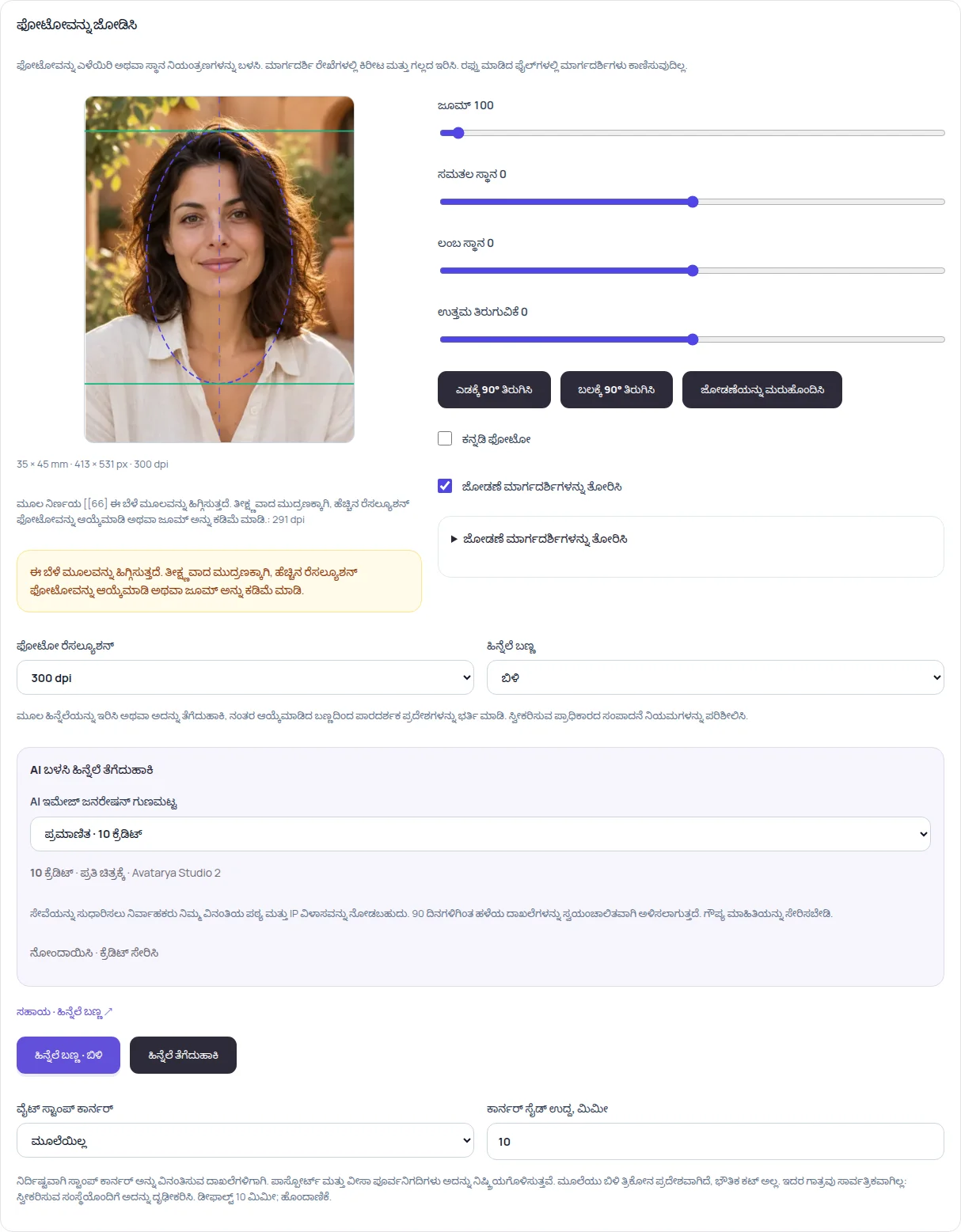
ಸ್ವರೂಪ ಮತ್ತು ಗುಣಮಟ್ಟವನ್ನು ಆಯ್ಕೆಮಾಡಿ
ಡಾಕ್ಯುಮೆಂಟ್ ಗಾತ್ರವನ್ನು ಆಯ್ಕೆಮಾಡಿ ಮತ್ತು ಮುಖವನ್ನು ಸರಿಹೊಂದಿಸಿ. ಲಾಗಿನ್ ಆಗಿ ಮತ್ತು ಡ್ರಾಫ್ಟ್, ಪ್ರಮಾಣಿತ ಅಥವಾ ಉನ್ನತ ಹಿನ್ನೆಲೆ-ತೆಗೆದುಹಾಕುವ ಗುಣಮಟ್ಟವನ್ನು ಆಯ್ಕೆಮಾಡಿ. ಸಂಬಂಧಿತ ಸಂರಚಿತ ವೆಚ್ಚಗಳು 5, 10 ಮತ್ತು 30 ಕ್ರೆಡಿಟ್ಗಳು.
ವ್ಯಕ್ತಿಯ ಹಿಂದೆ ಬಿಳಿ ಹಿನ್ನೆಲೆ ಚಲಾಯಿಸಿ
ಸಮರ್ಪಿತ ಕ್ರಿಯಾ ಬಟನ್ ಒತ್ತಿರಿ. ಪ್ರಕ್ರಿಯೆಗಾಗಿ ಕಡಿತ ಪ್ರತಿಯನ್ನು ಕಳುಹಿಸಲಾಗುತ್ತದೆ; ಮುಖ್ಯ ವ್ಯಕ್ತಿ, ಬಟ್ಟೆ ಮತ್ತು ಧರಿಸಿರುವ ಆಕ್ಸೆಸರಿಗಳನ್ನು ಮಾತ್ರ ಉಳಿಸಿ, ಹಿನ್ನೆಲೆ, ಕುರ್ಚಿಗಳು ಮತ್ತು ಇತರ ವಸ್ತುಗಳನ್ನು ತೆಗೆದುಹಾಕುವಂತೆ ಸೂಚಿಸಲಾಗುತ್ತದೆ. ಅತಿಥಿ ಉಚಿತ ಪ್ರಯತ್ನಗಳನ್ನು ಬಳಸಲಾಗುವುದಿಲ್ಲ.
ಪರಿಶೀಲಿಸಿ ಮತ್ತು ರಫ್ತು ಮಾಡಿ
ಕೂದಲು, ಮುಖ ಮತ್ತು ಭುಜಗಳನ್ನು ಪರಿಶೀಲಿಸಿ. ಸಂಪಾದಕವು ಪಾರದರ್ಶಕ ಪ್ರದೇಶಗಳನ್ನು ಬಿಳಿಯಿಂದ ತುಂಬುತ್ತದೆ; ಇದೇ ಫೋಟೋಗೆ ಮತ್ತೊಂದು ಪಾವತಿತ ತೆಗೆದುಹಾಕುವ ವಿನಂತಿಯಿಲ್ಲದೆ ನೀವು ಬೂದು ಅಥವಾ ನೀಲಿಯನ್ನು ಆಯ್ಕೆಮಾಡಬಹುದು. JPG ಅಥವಾ PNG ಅನ್ನು ಸಿದ್ಧಪಡಿಸಿ ಮತ್ತು ಡೌನ್ಲೋಡ್ ಮಾಡಿ.
ಪ್ರಾಯೋಗಿಕ ಸಲಹೆಗಳು
ಪಟ್ಟಿಯಲ್ಲಿರುವ ಬಿಳಿ ಬಣ್ಣವನ್ನು ಆಯ್ಕೆಮಾಡುವುದರಿಂದ ಮಾತ್ರ ಅಪಾರದರ್ಶಕ ಹಿನ್ನೆಲೆಯನ್ನು ತೆಗೆದುಹಾಕಲಾಗುವುದಿಲ್ಲ. ಪ್ರಕ್ರಿಯೆಗೊಳಿಸಿದ ಮೂಲ ಮತ್ತು ಕಟ್ಔಟ್ 90 ದಿನಗಳವರೆಗೆ ಖಾಸಗಿ ಇತಿಹಾಸದಲ್ಲಿ ಇರುತ್ತವೆ; ಕತ್ತರಿಸುವುದು ಮತ್ತು ಬಣ್ಣ ಬದಲಾವಣೆಗಳು ಬ್ರೌಸರ್ನಲ್ಲಿ ನಡೆಯುತ್ತವೆ.